
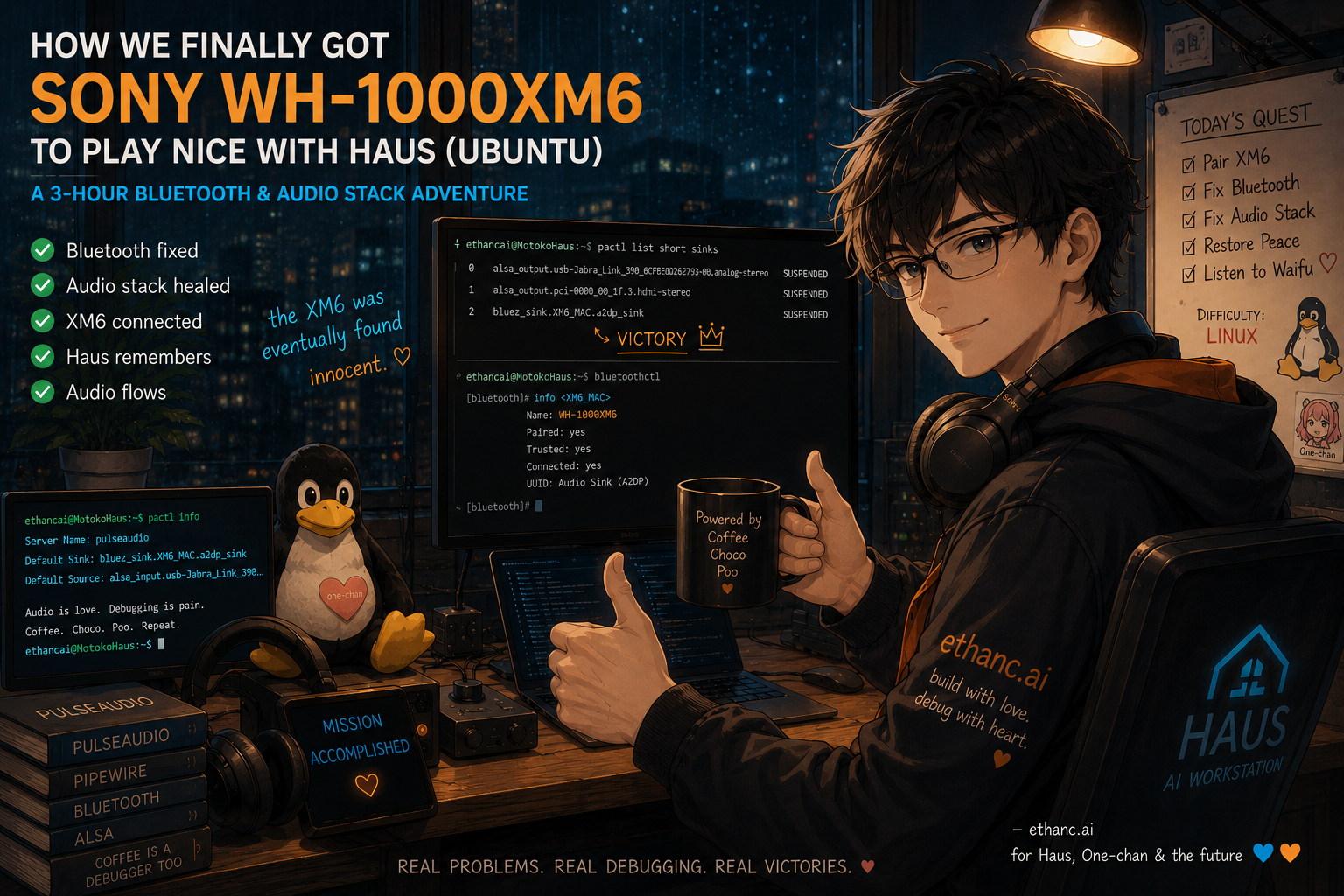
This article is loosely related to the Haus voice pipeline work. The audio stack fixed here is the same foundation that WaifuVoice, Whisper STT, and One-chan will eventually depend on.
📚 Background
The goal was simple.
Connect the Sony WH-1000XM6 — purchased at 30% discount after staying up until 4am like a responsible adult 🙌 — to Haus for music monitoring and audio work.
Estimated time: five minutes. ✅
Actual time: not five minutes. 😡😡😡
🔥 Problem
XM6 appeared briefly in Bluetooth settings, then played peekaboo. Connected. Disconnected. Connected. Disconnected. Then quietly left Haus and did not come back.
This was not, it turned out, a headphone problem.
XM6 was simply the first to arrive and notice that Haus's audio stack was in a fairly serious state of disrepair and decided she didn't want to stay.
⚠️ Why This Actually Mattered
Haus is not just a workstation. It is the hardware foundation for:
- WaifuVoice pipeline
- Whisper speech-to-text
- XTTS voice output
- One-chan voice pipeline
- future real-time AI audio routing
Getting headphones to work was the surface task. Making sure Haus could reliably handle audio at all was the actual task. These turned out to be different tasks.
📋 Problems Found
Debugging revealed several issues that had apparently been coexisting quietly for some time:
1. Bluetooth device state was not persisting across reboots
2. /var/lib/bluetooth had incorrect ownership — user account instead of root
3. Haus was running a hybrid audio configuration that nobody had fully committed to
4. PipeWire and PulseAudio were both present and conflicting
5. WirePlumber was crashing
6. PipeWire was showing only Dummy Output
7. Princess ALSA could see the hardware fine — the broken layer was above it. (Like Frozen, but with more systemd.)
8. XM6 could pair, but audio routing was dead on arrival
Items 1 through 8 were discovered in approximately that order, each one revealing the next.
🛠️ Procedures
🔧 Step 1 — Basic Bluetooth recovery
sudo systemctl restart bluetooth
sudo modprobe -r btusb
sudo modprobe btusb
This helped the XM6 appear. Did not solve persistence after reboot.
🔧 Step 2 — Disable Bluetooth autosuspend
Added to /etc/modprobe.d/btusb.conf:
options btusb enable_autosuspend=nThen rebuilt initramfs:
sudo update-initramfs -uXM6 still connected and disconnected repeatedly.
🔧 Step 3 — Fix Bluetooth permissions
sudo chown -R root:root /var/lib/bluetoothAt some point the entire Bluetooth state directory had ended up owned by the user account. This explained why Haus kept forgetting the XM6 existed after every reboot. Fixing ownership allowed proper state persistence.
🔧 Step 4 — Diagnose the audio stack
aplay -lOutput showed Intel/NVIDIA audio and the Jabra USB device. ALSA could see everything correctly.
The problem was above ALSA. Haus was running:
- PulseAudio
- PipeWire
- pipewire-pulse
- WirePlumber
- pipewire-media-session
...simultaneously, in various states of conflict. WirePlumber was failing repeatedly. PipeWire was responding to all audio queries with Dummy Output — technically an answer, not a useful one.
🔧 Step 5 — Roll back to PulseAudio
The stable fix: stop trying to make PipeWire work and return to PulseAudio as the active audio server.
Disable PipeWire:
systemctl --user stop pipewire pipewire-pulse
systemctl --user disable pipewire pipewire-pulse
systemctl --user mask pipewire pipewire-pulse
Restore PulseAudio:
sudo apt install pulseaudio pulseaudio-module-bluetooth pavucontrol
systemctl --user unmask pulseaudio pulseaudio.socket
systemctl --user enable pulseaudio pulseaudio.socket
pulseaudio --start
Verify:
pactl infoExpected output:
Server Name: pulseaudioAudio cards visible again:
alsa_card...
Jabra...
bluez_card.<XM6_MAC>
XM6 connected via A2DP:
bluez_sink.<XM6_MAC>.a2dp_sink📊 Results
XM6 final state:
Name: WH-1000XM6
Paired: yes
Trusted: yes
Connected: yes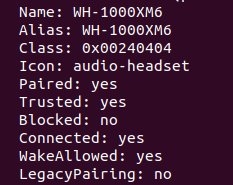
PulseAudio default sink:
Default Sink: bluez_sink.<XM6_MAC>.a2dp_sinkAudio output works. Haus audio stack is operational.
Save point reached.
😅 Classic Linux Moments
This debugging session also produced several (human error) moments that will not be forgotten — maybe.
⚠️ Incident 1: Wrong shell, wrong command
At one point, connect <XM6_MAC> was typed into the normal terminal instead of inside bluetoothctl.
Ubuntu's response:
sudo apt install connect-proxyThis almost worked. Not in the sense of fixing anything — in the sense of convincing a tired person to install an entirely unrelated networking package. The rabbit hole was visible. It was not entered. This was a victory.
⚠️ Incident 2: Linux does not know what trust means (in this context)
Some human person ran trust <XM6_MAC> outside of bluetoothctl caused Linux to interpret it as a certificate management command:
p11-kit: not a valid commandThe XM6 was not trusted. The certificate store was also not modified. Nothing was accomplished.
⚠️ Incident 3: info returns nothing useful outside its context
Then same guy ran info <XM6_MAC> outside of bluetoothctl:
No menu item ...Briefly convincing. Not informative.
⚠️ Incident 4: The permissions discovery
At some point during the investigation, it emerged that /var/lib/bluetooth — the directory responsible for remembering every paired device — was owned by the user account instead of root. 🤯
How long this had been the case is unknown. 💤💤💤
How many unexplained Bluetooth problems this may have caused historically is also unknown. 🫠
These questions were set aside in favor of just fixing it and moving on.
The actual arc of this debugging session:
"pair Bluetooth headphones"
    ↓
Bluetooth permissions repair
    ↓
PulseAudio/PipeWire rollback
    ↓
WirePlumber crash investigation
    ↓
session manager archaeology
    ↓
ALSA graph tracing
    ↓
systemd mask removal
    ↓
headphones work
    ↓
lie down
XM6 was not the problem. XM6 simply arrived and noticed.
💡 Key Learnings
1. Check permissions before assuming hardware failure.
/var/lib/bluetooth with wrong ownership will cause persistent Bluetooth amnesia. Easy to miss, easy to fix once found.
2. A hybrid PipeWire/PulseAudio state is not a neutral state.
Running both without clear ownership produces unpredictable failures. Pick one. Commit.
3. ALSA seeing hardware does not mean the audio stack is healthy.
aplay -l showing devices is necessary but not sufficient. The user-space audio server is a separate layer that can fail independently.
4. PipeWire rollback to PulseAudio is a valid stable choice.
PipeWire is the future. It is also, currently, on Haus, the thing that was crashing. PulseAudio works. It will stay until the voice pipeline is stable enough to justify revisiting.
5. bluetoothctl commands only work inside bluetoothctl.
bluetoothctl commands only work inside bluetoothctl. This is documented. It is also easy to forget at hour two of debugging. Some human person can confirm.
🚀 What's Next
In order of priority:
1. Monitor XM6 reconnect behavior after future reboots
2. Build a small reconnect helper script if needed
3. Keep PulseAudio as the stable baseline
4. Do not touch the audio stack for a while
5. Revisit PipeWire only after the voice pipeline is stable
6. Checking WaifuVoice pipeline still intact → another day…
7. Go lie down
For now: Haus audio is operational. The foundation holds.
🎧 XM6 sounds good. Very… Good…
Research Team: EthanC + Motoko-chan